
Subtitle file guide
How to translate an SRT file in minutes
Upload your .srt or .vtt file, pick a language and download translated subtitles with the original timings, free in any browser. No subtitle file yet? The app creates one from your video.
 Free to try · No watermark
Scan with your Android phone to install
- Free online
- .srt and .vtt
- 130+ languages
- Original timings kept
Translate a subtitle file online for free
- Works in any browser, on phone or computer
- Upload an .srt or .vtt file and choose one of 130+ languages
- Download translated subtitles with the original timings
- No sign-up needed
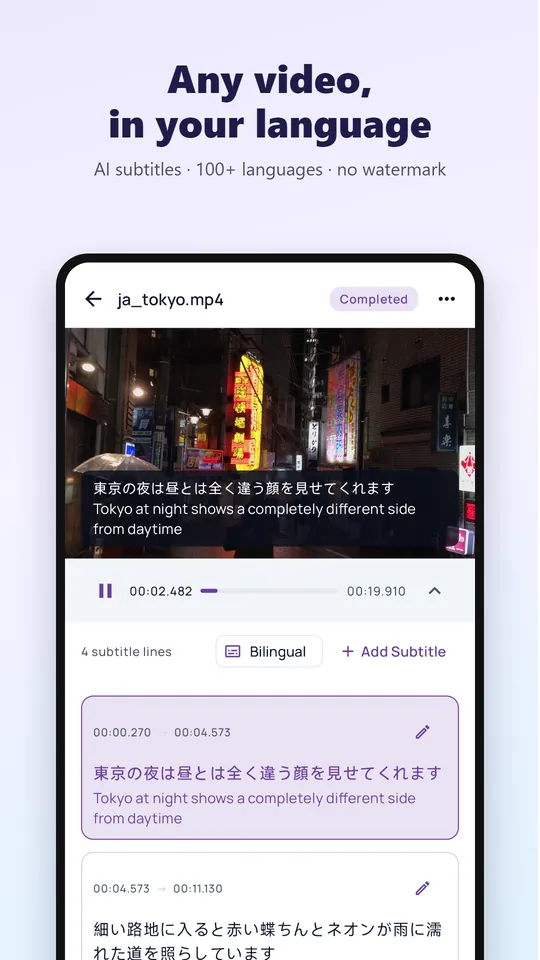
No SRT file? Create one from the video
Pick the video in video translation and the app turns the speech into translated subtitles. Edit them, then export an SRT file or save the video with subtitles, no watermark.
Want the video to speak your language too? Add an AI voice-over.
Translate an SRT file in 3 steps
Open the online translator
Go to the free online subtitle translator in any browser.
Upload and choose a language
Select your .srt or .vtt file and pick the language you want.
Download
Save the translated subtitle file with the original timings and use it in any player or editor.
Frequently asked questions
How can I translate an SRT file for free?
Use our free online subtitle translator: upload the file, pick one of 130+ languages and download the result. No sign-up.
Are the timings kept?
Yes. The translated file keeps the original timings, so it stays in sync with your video.
Can I make an SRT file from a video that has no subtitles?
Yes. Video translation creates translated subtitles from the speech, and you can export them as an SRT file.
Does it support VTT files?
Yes. The online translator accepts both .srt and .vtt files.
Watch your next video in your language
Join more than a million people who use Video Voice Translate. Free to try, no sign-up, no watermark.