
AI dubbing
Hear any video in your language with AI dubbing
Turn the translated subtitles into a natural AI voice-over and export a dubbed video. Perfect for family and friends who would rather listen than read.
Get it on Google PlayFree to start · Android 7.0+
- 80 languages
- Female and male voices
- Keep the original sound
- MP4 without watermark
What you can do
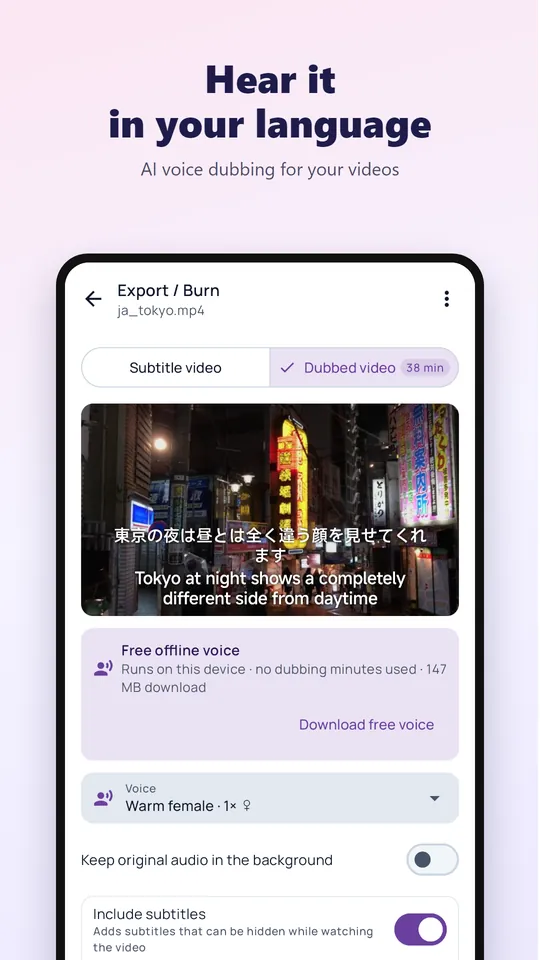
- Up to 4 voices per language: Warm female, Clear male, Natural female HD and Natural male HD (HD voices in 55 languages)
- Keep the original audio quietly in the background, or replace it completely
- Add a subtitle track that viewers can switch on or off
- Preview voices for free before you dub
- Free on-device voices for 21 languages (one-time download of about 21 MB); a short ad plays before saving unless you have VIP or remove-ads
- Videos up to 30 minutes; the original video is never changed
- Export an MP4 file with no watermark
How dubbing is counted
Dubbing uses dub minutes, counted by the length of the video. New users get 5 free minutes. Dub minutes are sold separately from VIP: one-time packs of 10, 30, 60 or 180 minutes that never expire. HD voices, and all cloud voices in the 25 languages without HD, use 4 minutes per minute of video; free trial minutes always count 1×. If your balance is too low you are told before starting, and failed jobs are refunded.
How to dub a video
Translate the video
Start with video voice translation to get subtitles in your language.
Choose a voice
Pick a voice and decide whether to keep the original sound in the background.
Export
Save the dubbed MP4 and share it anywhere.
Frequently asked questions
How long can a dubbed video be?
Up to 30 minutes per video.
Can it clone the original speaker’s voice?
No. Dubbing uses high-quality AI voices; it does not copy the speaker’s voice.
Is the background music kept?
You can keep the original audio, including music, at a low volume underneath the new voice.
Watch any video in your language
Install Video Voice Translate for free. No sign-up needed to start, no watermark on what you export.